Create Login Workflow with Tables
This use case is a simple example that is usually necessary when you need to create a backend or a form using Flowize. Imagine that you need to create a Sign in and the sign-up page, where users need to introduce their credentials (username, password) or fill the sign-up form to generate a new user inside your website. In that case, we need to create our table "credentials" where we are going to store the user credentials and the DateTime so the system will check if the user is already in our table or not.
Once we have the table created, then we need to prepare our workflow. Let's call it "credentials_controller".
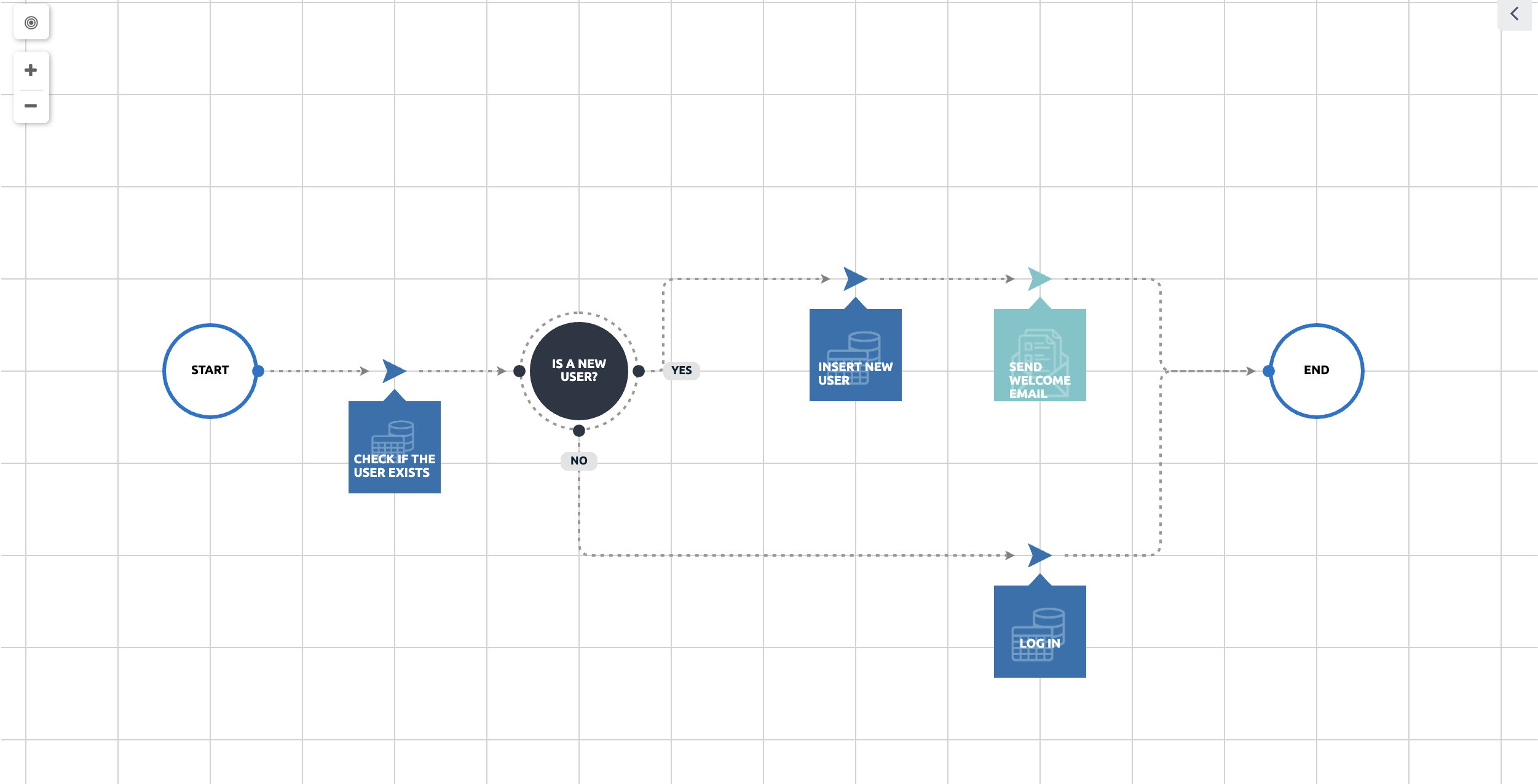
In the above picture we can see that the workflow will make a query on the table "credentials" to check if the user exists and storing the Datetime value on the table, otherwise it will create a new user, and it will send the "Welcome" email.
To check if the user exists, we need to prepare the SELECT query using the table function that we dragged on the canvas. This function will check the data values used (username and password) against the two columns that we defined on the table credential.
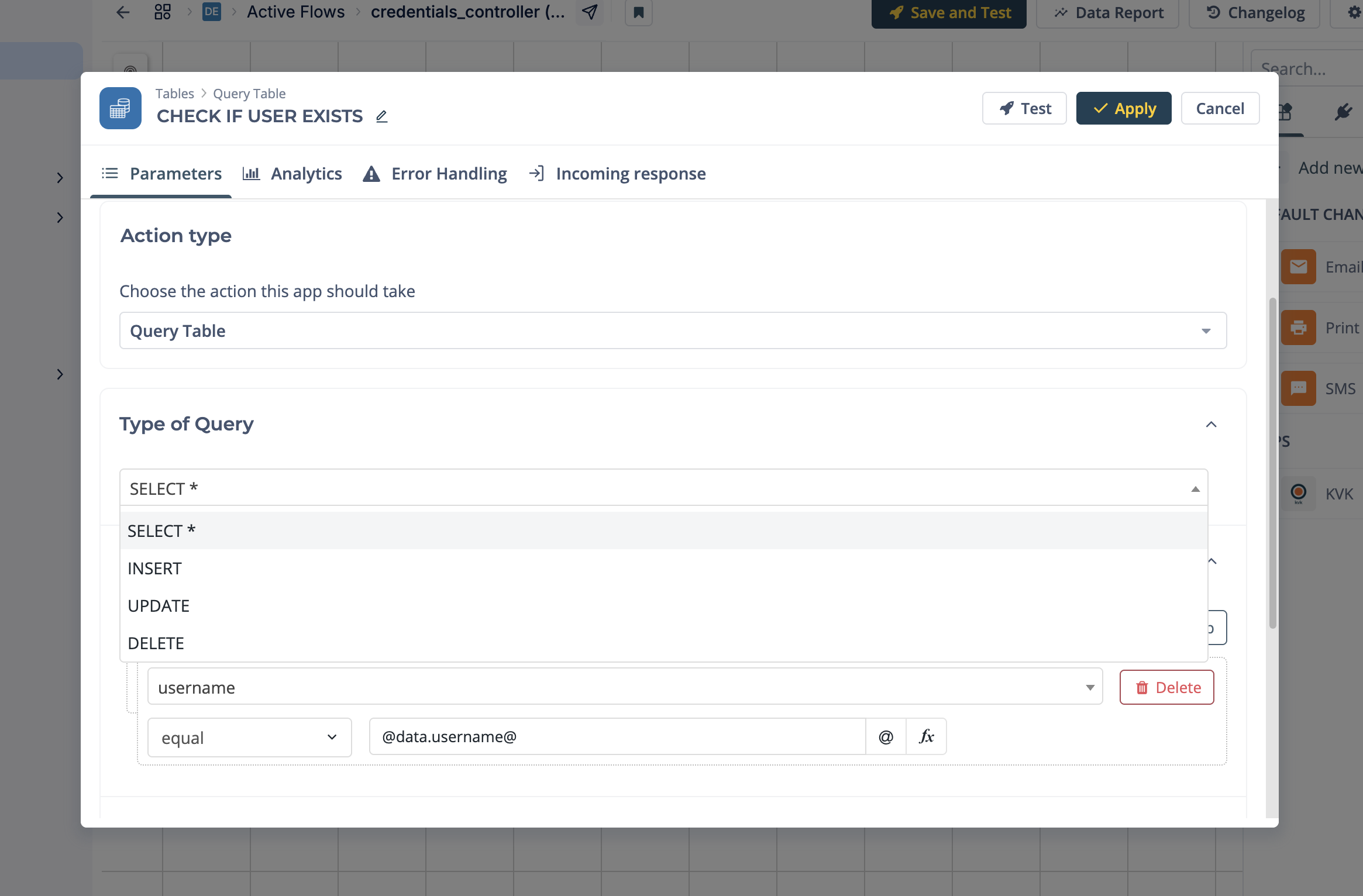
This App will get a response with the following payload:
{
    "table_name": "credentials_table",
    "type": "SELECT",
    "ids": ["3001"],
    "total": 1,
    "start_at": 0,
    "limit": 100,
    "offset": 0,
    "max_results": 1,
    "error": "",
    "next_element": 1
}
And the meaning of each parameter is:
| Parameter | Usage |
|---|---|
| Table_name | This parameter is the name of the Table that you created |
| Type | This parameter is the query type. It can be a SELECT/INSERT/UPDATE/DELETE |
| Error | This field will be filled only if an error occurs in |
| Ids | The list of row ids that were retrieved in SELECT |
| Total | This is the number of results retrieved, applying the LIMIT. TOTAL will always be lower or equal to LIMIT |
| Max_Results | This is the total number of results retrieved, without applying the LIMIT |
| Start_at | The position of the first element retrieved in this query. It always coincide with the OFFSET of your search query |
| Limit | The maximum number of results you want to retrieve. You cannot retrieve more than 100 per query. By default is |
| Offset | The number of results to skip before returning anything. By default is |
| Nex_element | The position of the next element to be retrieved. If you put this value in the OFFSET of your following search query, you can throw all the results of your query |
This App will return an array of rows for which we will be able to access to the information
using @table.[table_name].[index position].[column_name]. For instance, in our example, if we want to get the username
to be used in another app, then we need to type: @table.credentials_table.0.username@
The data that the tables are storing in Flowize Designer are not moving to the environments. This data has to be imported in the environment again.
Was this article helpful?